- OKI Printer Users' Guide
Manuals
Brands
Oki Manuals
Printer
B930d
51
52
53
54
55
56
57
58
59
60
B930n User’s Guide> 54
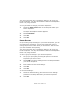
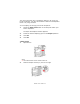
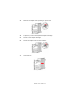
3.
Remo
ve the staple unit by lifting it up and
out.
4.
If present, remove the depleted staple cartridge.
5.
Insert a new staple cartridge.
6.
Insert the staple unit into the Finisher
.
7.
Close door G.
1
...
...
58
59
60
61
62
...
...
211