- OKI Printer Users' Guide
Manuals
Brands
Oki Manuals
Printer
B930d
21
22
23
24
25
26
27
28
29
30
B930n User’s Guide> 18
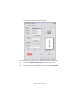
The Printer Properties window appears.
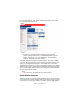
To access Printer Properties from Printers and Faxes (Windows):
1.
Select the
Printers and Faxes
from your Start menu.
2.
Right-click the desired B930 printer and select
Properties
.
1
...
...
22
23
24
25
26
...
...
211