
User's Manual




FunctionComponentNr
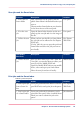
The setup menu gives general information on the printer.
In the list you can get access to:
•
'Test prints'
•
'Network settings'
•
'Security'
•
'Print density'
•
'Clear system'
•
'Install additional hardware'
•
'Scanner calibration'
setup menu2.
Chapter 2 - Get to Know the Printing System 61
The jobs queue and the system menu