User's Manual
Manuals
Brands
Oce Manuals
Printers
Oce PlotWave 340
291
292
293
294
295
296
297
298
299
300
2.
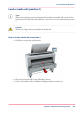
Remove the plug from the media roll.
3.
Carefully remove the media roll from the box.
4.
Remove the other plug and plastic around the media roll.
Chapter 5 - Maintain the Printing System
298
Unpack the media roll
1
...
...
296
297
298
299
300
...
...
384