
User's Manual


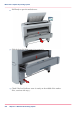


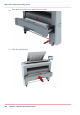


Switch on the printing system
Attention:
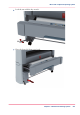
Make sure the mains supply cable (A) is plugged in.
Attention:
Make sure the network cable (C) is plugged in.
1.
Switch on the power switch at the back of the printing system (B).
A
B
C
[230] The power switch at the back of the printer.
Chapter 5 - Maintain the Printing System290
Switch on the printing system