User's Manual
Manuals
Brands
Oce Manuals
Printers
Oce PlotWave 340
281
282
283
284
285
286
287
288
289
290
8.
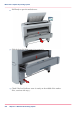
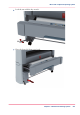
Lock the nut with the key wrench.
9.
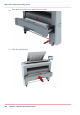
Place the lower left front cover back.
Chapter 5 - Maintain the Printing System
287
Move and re-adjust the printing system
1
...
...
285
286
287
288
289
...
...
384