User's Manual
Manuals
Brands
Oce Manuals
Printers
Oce PlotWave 340
281
282
283
284
285
286
287
288
289
290
If yes, continue with step 9.
5.
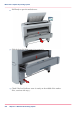
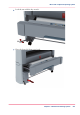
Slide the lower right front cover (11) to remove it, and get
access to the tools you need
for the adjustment procedure.
Chapter 5 - Maintain the Printing System
285
Move and re-adjust the printing system
1
...
...
283
284
285
286
287
...
...
384