
9.0

4
Working on your Desktop
Dragon NaturallySpeaking User’s Guide
38
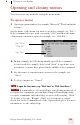
For example, to open a document named sales.doc, you could say
“Start Sales dot doc.” To open a document named journal.wpd, you
could say “Start journal dot w p d.”
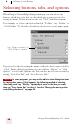
To open a document or folder from your Windows
®
desktop, just say
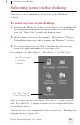
“Start” and then the name below the icon. For example, to open a
folder named “Projects,” say “Start Projects.”
Switching between open windows
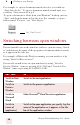
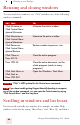
You can switch between the windows you have open by saying “Switch
to” and then say the name of the program or document window exactly
as it appears in the title bar.
For example, if Microsoft
®
Word
®
is running, you can switch to it by
saying “Switch to Microsoft word.”
You can also switch between open windows by saying “Switch to
Previous Window” (same as pressing
ALT+TAB) and “Switch to Next
Window” (same as pressing
ALT+SHIFT+TAB).
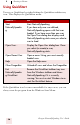
SAY THIS TO
Switch to Next
Window
Switch to the next application.
Switch to
Previous
Window
Switch to the previous application.
Switch to
Microsoft
Word
Make Microsoft
®
Word the active application.
Switch to
(name of
application)
Switch to the open application you specify. Say the
name of the application as it appears in the title
bar of the application window.
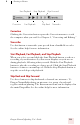
Say “Start Projects”