
User's Manual




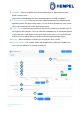

Table Of Contents

Hempasense Track Version 1.5
Page | 9
8. Template – Select a template from the dropdown menu to add needed custom
fields or select “none”.
(See section Settings page for more information about creating a template)
9. Executive Summary – Here you can enter a quick summary of the job performed,
appearing on the first page of the report. You can fill this information in now or wait
till the job is finished, just before generating a report.
10. Report Text – In this field you can fill out any text you would like to include in the fi-
nal report for the customer. This can either be a standard text, or specifically written
to this customer. It will appear on the front page of the report. You can fill this infor-
mation in now or wait till the job is finished, just before generating a report.
11. Create – When information is filled in for the new job, click “Create”.
12. Refresh/ Update– The “Create” button will be replaced by “Refresh”/”Update” but-
tons if you are editing in an already created job.
1
2
3
4
5
8
9
11
6
7
10
12