
User's Manual
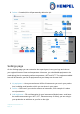
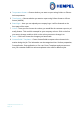
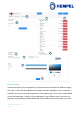
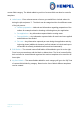
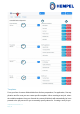
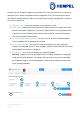

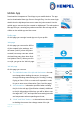
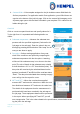
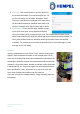
Table Of Contents

Hempasense Track Version 1.5
Page | 20
4. Per coat – Click on this button to specify values for
the custom field labels “Per coat” during the job. Fill
out the information for the labels and press “Save”.
These per coat labels are reflected in all coats of the
job and values should be specified under each coat
number. Example to the right includes with 4 labels.
5. Components – Each coat can have multiple compo-
nents (such as a base, curing agent and thinner).
Here you should specify components per coat. For Hempel paint include compo-
nents smart and easy by using the mobile app’s scan function descripted below. For
other paint products enter the batch/lot number and product name and number
manually. The components can either be specified here in the mobile app or in the
web app on the Job page)
Scanner
Specify components per coat. Press “Scan” and the scanner will
appear. Scan the batch/lot number on the Hempel paint can for
each coat to quickly load the product and batch/lot information. By
scanning the batch/lot number the system reads and records what
coating it is by product name, number and shade, where and when
it was produced, etc. Press scan again until all components have
been specified for Coat 1 and move on to next coat of the job.
Note: Only Hempel paint products can be scanned.
If you are using a non Hempel product, simply manually input the
information.
4