
Users Manual Part 2



Nokia FastMile 4G Receiver Product Overview Management using the Web UI
Issue: 01 3TG-01505-AAAB-TCZZA 139
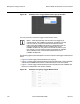
Figure 66 Example of the top part of the Status screen when the FastMile
4G Receiver is connected to a cell
Figure 67 shows a lower part after scrolling down of an example of the Status screen
when the FastMile 4G Receiver is connected to a cell. The figure shows the trigger
measurement button that can be used to display information about available cells.
Figure 67 Example of a lower part of the Status screen when the FastMile
4G Receiver is connected to a cell
To display available cell information, select the trigger measurement button on the
Status screen. Figure 68 shows the pop up window that appears when the trigger
measurement button is selected.