
Users Manual Part 2


Nokia FastMile 4G Receiver Product Overview Management using the Web UI
Issue: 01 3TG-01505-AAAB-TCZZA 137
You can display available cell information by triggering measurements using the
“Trigger measurement” button on the Web UI status screen. Available cell
information includes: physical cell ID, DL EARFCN, SINR, RSRP, RSRQ, RSSI. Note
the following
• up to 12 available cells are shown, ranked from strongest to weakest by RSRP
• After approximately five seconds from triggering of measurements, the FastMile
4G Receiver will detach from the carrier’s network. Push the measurements
status refresh button while the FastMile 4G Receiver is detached to see the
grayed-out Web UI status screen. Reattachment of the FastMile 4G Receiver may
take from several seconds to up to five minutes. You will need to refresh the
browser for updated Web UI status screen contents after reattachment of the
FastMile 4G Receiver.
• available cell information will not be visible after rebooting the FastMile 4G
Receiver
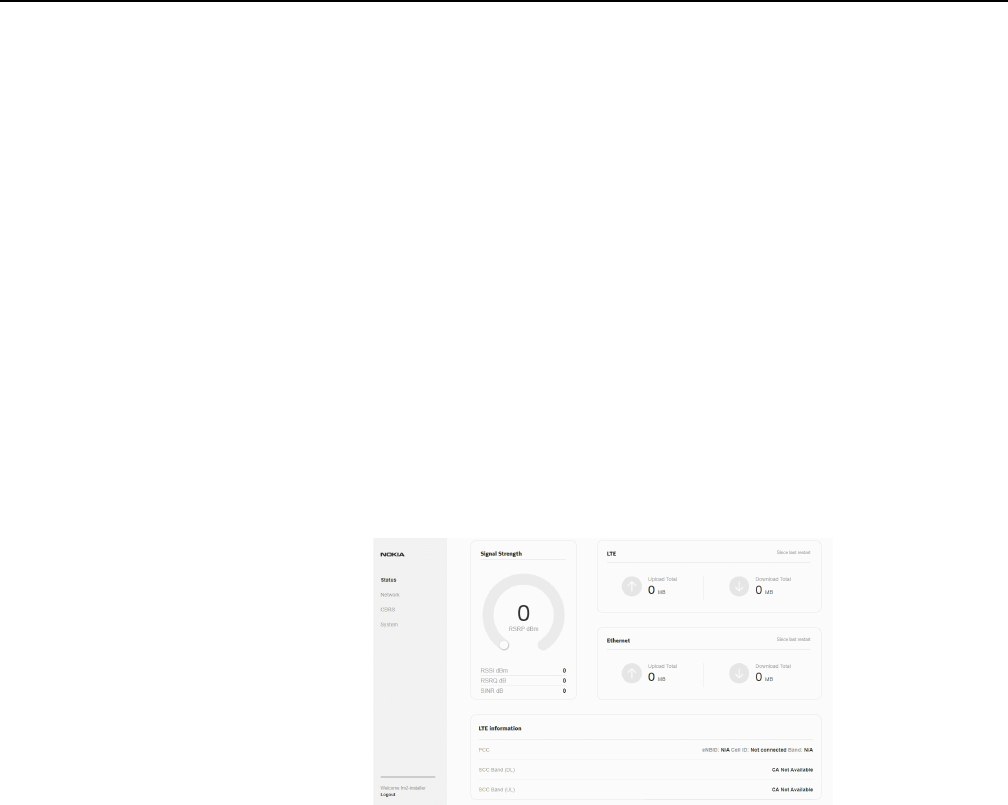
Figure 63 shows an example of the top part of the Status screen when the FastMile
4G Receiver is not connected to a cell.
Figure 63 Example of the top part of the Status screen when the FastMile
4G Receiver is not connected to a cell
Figure 64 shows the lower part after scrolling down of an example of the Status
screen without available cells when the FastMile 4G Receiver is not connected to a
cell.