
Users Manual Part 2


Management using the Web UI
140
Nokia FastMile 4G Receiver Product Overview
3TG-01505-AAAB-TCZZA Issue: 01
Figure 68 Example of the Trigger Measurement pop up window
You can proceed or cancel the trigger measurement action.
The following figures show examples of screens involved in the trigger measurement
action:
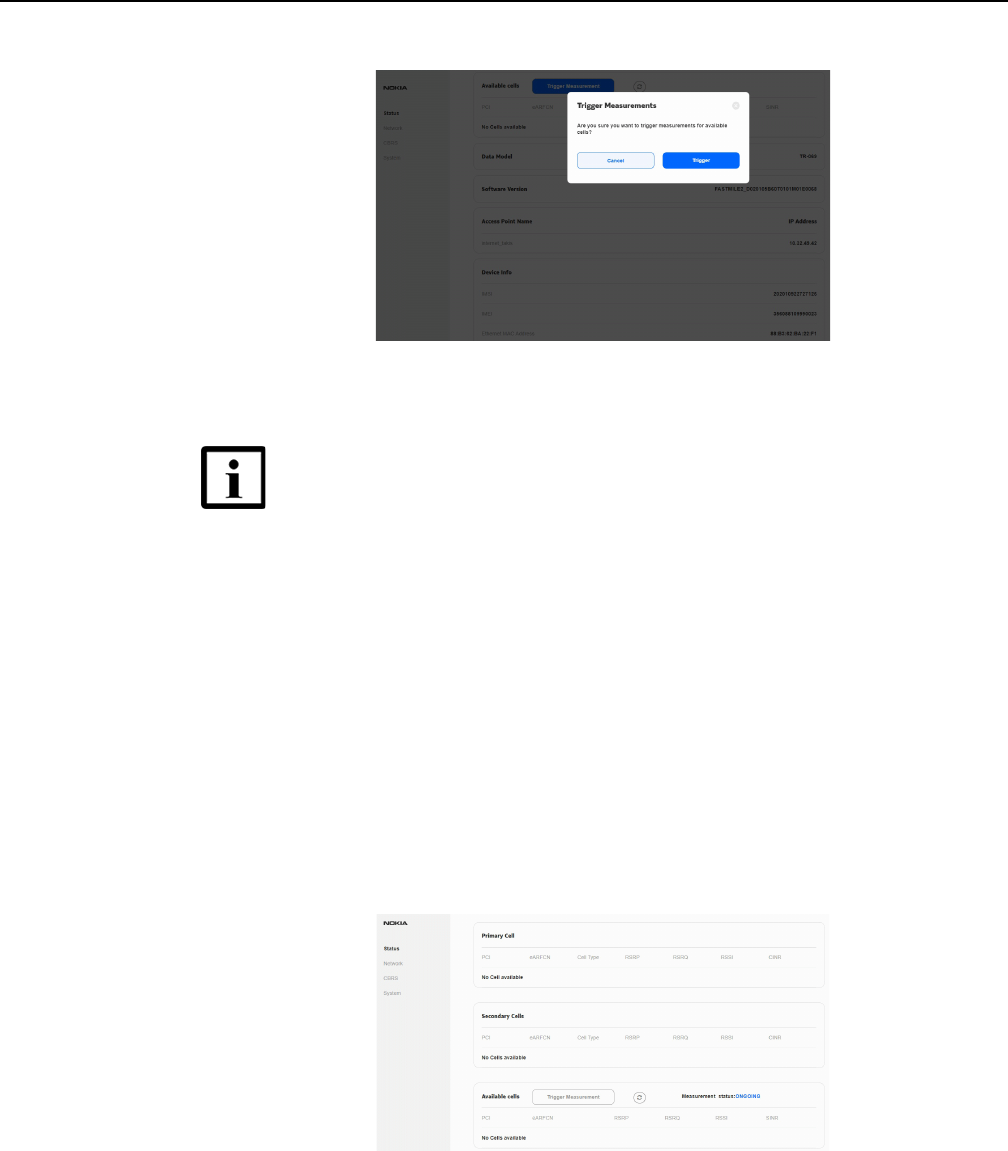
• Figure 69 shows trigger measurement that is ongoing
• Figure 70 shows trigger measurement that has completed with a list of available
cells and the FastMile 4G Receiver is detached from the carrier's network
• Figure 71 shows trigger measurement that has completed and the FastMile 4G
Receiver is reattached to the carrier's network
Figure 69 Example of ongoing Trigger Measurement
Note — After approximately five seconds from triggering of
measurements, the FastMile 4G Receiver will detach from the
carrier’s network. Push the measurements status refresh
button while the FastMile 4G Receiver is detached to see the
grayed-out Web UI status screen. Reattachment of the
FastMile 4G Receiver may take from several seconds to up to
five minutes. You will need to refresh the browser for updated
Web UI status screen contents after reattachment of the
FastMile 4G Receiver.