
Operation Manual




Overview Using Camera Control Pro
Return to fi r s t page
88
Appendices
Device Registration Windows 2000 4/8
6
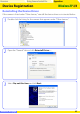
Click Next.
If the message “Windows was unable to fi nd a suitable driver for this device” is displayed,
the CD was not correctly inserted or the correct search location was not selected. Click
Back to return to the dialog shown in Step 5 and confi rm that the search location is
correct.
5
Pressing the shift key to prevent the “Select Region” dialog from opening, insert
the Camera Control Pro CD (if the “Select Region” dialog appears, click Quit). Select
CD-ROM drives and click Next.
4
Select the search option and click Next.