
Operation Manual




Overview Appendices
Return to fi r s t page
48
Using Camera Control Pro
Camera Controls 3/12
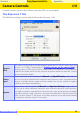
The Exposure 2 Tab
The following settings can be adjusted from the Exposure 2 tab.
Focus Area
The focus area can be selected using the arrow buttons; see the camera manual for
details. For information on AF-area mode and focus mode, see
“The Mechanical
“The Mechanical
Tab.”
Tab.”
Metering
Mode
The metering mode can be selected from this menu (D2 series, D200, D70S, D70,
and D50 only). Metering mode defaults to the option selected with the camera. If a
D1-series or D100 camera is connected, or if
Enable controls on the camera body
Enable controls on the camera body
is checked when a D2-series or D200 camera is connected, the current metering
mode will be shown, but changes can only be made using camera controls. See
the camera manual for details.
Flash Sync
Mode
This option controls the camera fl ash sync mode. See the camera manual for de-
tails.