
Operation Manual




Overview Appendices
Return to fi r s t page
46
Using Camera Control Pro
Camera Controls 1/12
Camera controls are described below using the D2Xs as an example:
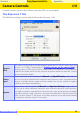
The Exposure 1 Tab
The fol low ing settings can be adjusted from the Exposure 1 tab:
Exposure
Mode
This menu can be used to set the exposure mode for D2- and D1-series and D200
cameras. If a D100 is connected, or if
Enable controls on the camera body
Enable controls on the camera body is
checked when a D70S, D70, or D50 is connected, it will show the current exposure
mode but the mode itself must be selected using the camera function dial. See the
camera manual for details.
Shutter
Speed
Shutter speed can only be adjusted in Man u al and Speed Priority modes, when it
can be set to values between the max i mum and min i mum val ues supported by the
camera. Use high shut ter speeds to freeze mo tion, low shut ter speeds to suggest
mo tion by blur ring moving objects.
Aperture
Aperture can only be adjusted in Manual and Aperture Pri or i ty modes, when it
can be set to values between maximum and min i mum ap er ture (small apertures
have high f-num bers, wide ap er tures low f-numbers; the ac tu al ap er tures available
depend on the lens used). Ap er ture can not be controlled from Camera Control Pro
when Custom Setting 22 has been set to allow aperture to be ad just ed manually
using the lens aperture ring (D1-series only).