
Operation Manual




Overview Appendices
Return to fi r s t page
43
Using Camera Control Pro
The Camera Control Pro Window 2/4
The
/
Button
Click this button to view or hide camera controls.
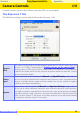
Simulated LCD Panel
This panel shows the information displayed in the camera’s viewfi nder, with the ex cep tion
of camera errors. Clicking on an indicator in the panel opens the Camera Control Pro win-
dow to the tab that controls the selected option, where ad just ments can be made.
When a D2-series, D200, D70S, D70, or D50 camera is connected, the amount of memory
remaining in the camera memory buff er is displayed at the right edge of the simulated LCD
panel. This information is updated at regular intervals, but temporary discrepancies may
exist between the display and the actual amount of memory remaining in the buff er.