
Operation Manual




17
Using Camera Control Pro Appendices
Return to fi r s t page
Overview
Installing Camera Control Pro Macintosh 3/5
5
Click Install.
4
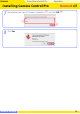
Click Agree to accept the license agreement and proceed with installation.
6
Enter the product key (
)
found on the CD case and click OK (
). The trial version
does not show this dialog.
Product Key
Do not lose this key. It is required when installing or upgrading this software and can not be re-
placed if lost.