
User's Guide


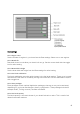


Table Of Contents
- Welcome to the Q Experience 2.0.
- Important information
- Introduction
- 1 Sidebar
- 2 View
- 3 Application
- 4 Home menu
- 5 Map
- 5.1 Map basics
- 5.2 Location properties
- 5.3 Navigation/ Set a destination
- 5.4 Map’s application menu
- Widgets
- 5.5 Chart settings
- Chart orientation
- Heading line
- Show trail
- Autocenter
- Autozoom speed limit
- Low speed zoom level
- Easy view™
- SonarChart™
- 2D shading
- Community edits
- Chart details
- Satellite overlay
- Satellite overlay opacity
- Default zoom level
- Safe water depth
- Shallow water depth
- Spot soundings
- Depth contours
- Minimum fishing range
- Maximum fishing range
- Reset chart settings
- 5.6 Location and route properties
- 6 Dashboard application
- 7 Compact dashboard widget
- 8 Fishfinder
- 9 Radar
- 10 Music
- 11 Weather
- 12 Info
- 13 Settings
- 14 Q Mobile App
- 15 Glossary

45
Audio settings
13.10.1 Volume
Adjust audio output volume.
13.10.2 Zone 1 & 2 volumes
You can adjust the volume in two different zones.
13.10.3 Equalizer
Adjust equalizer to fine tune the audio profile to match your listening preferences.
13.10.4 Radio mode
Select FM or DAB mode for the radio.
13.11 System reset
System reset allows you to reset Q Display to factory settings.
NOTE: This operation cannot be undone. All stored data: settings, views, places, routes and
logs will be deleted.
System reset can be found as the last tab on the Settings application.
14 Q Mobile App
Connect your phone to your Q Display from the System settings by using the QR code found
there. See more info in Chapter 13.1.5
Display QR code
.