
User Manual




24
NetComm Wireless 4GM3W User Guidewww.netcommwireless.com
ITEM DESCRIPTION
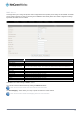
IPv4 System Status
IP Address The current WAN IP address of the router
Subnet Mask The current subnet mask in use by the router
Gateway The gateway in use by the router to access the internet
Domain Name Server The Domain name server converts
Connection Time The time the current connection to the internet has been active
IPv6 System Status
WAN Link-Local Address The current WAN IPv6 address
Global IPv6 Address The current IPv6 subnet mask in use
LAN IPv6 Link-Local
Address
The current LAN IPv6 address of the 4GM3W
Link Status The current IPv6 WAN connection status
Wireless Modem Information
Card Info The name of the 3G USB modem connected to the 4GM3W
Link Status The current status of your connection to a 3G Broadband service
Signal Strength The current available 3G signal strength
Network Name The name of the 3G network you are connecting to
Wireless 2.4GHz Status
Wireless 2.4GHz mode The current status of the 2.4GHzwireless network (enabled or disabled)
SSID The current 2.4GHzwireless network name is use by the router
Channel The current 2.4GHzwireless channel in use on your wireless network
Security The currently selected 2.4GHz wireless security in use on your wireless network
Wireless 5GHz Status
Wireless 5GHz mode The current status of the 5GHz wireless network (enabled or disabled)
SSID The current 5GHz wireless network name is use by the router
Channel The current 5GHz wireless channel in use on your wireless network
Security The currently selected 5GHz wireless security in use on your wireless network
Statistics Information
Octets The number of data packets which have passed into and out of the router
Unicast Packets The number of unicast packets which have passed into and out of the router
Multicast packets The number of multicast packets which have passed into and out of the router.
Network Setup
Network Setup
This page allows you to configure the WAN (Wide Area Network) connection. You can select from the following types of WAN
connection:
Mobile Broadband
WiFi Hotspot
Note: If you are using an Ethernet WAN connection, please ensure the “4G/WAN” switch is set to “WAN”.