
Operation Manual




71Chapter 17 . Settings
17. 11 App Cloner
App Cloner allows you to log in to two accounts at once.
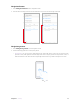
1. Go to Settings -> App Cloner. Apps available for App Cloner display on the screen.
2. Turn on the switch to enable App cloner for an app,
will show on the lower right corner of the cloned
app icon on the Home screen, differing from the original app icon.
Note:
App Cloner is not supported on third-party Home screens.
17. 12 Screen lock, fingerprint and security
Go to Settings -> Screen lock, fingerprint & security to configure the following settings:
Add screen lock method
Tap Screen lock, choose one of the following methods and follow the onscreeen instructions to add a screen
lock method.
• None: Set no screen lock for your phone.
• Swipe: Swipe the screen to unlock your phone.
• Pattern: Use a pattern to unlock yur phone.
• PIN: Use PIN to unlock your phone.
• Password: Use password to unlock your phone.
Note:
To display characters and pattern when entering password and pattern on the Lock screen, you can go to Settings ->
Screen lock, fingerprints & security and switch on
Show passwords.
Add Lock screen message
1. Tap Lock screen message, and enter the message.
2. Tap Save, and then the message will appear on the Lock screen.
Configure fingerprint and facial recognition
To configure fingerprint and facial recognition, see Configure your fingerprint and Configure your face data.
Enable palm rejection mode
Distance sensor can help prevent misoperation of the mobile phone due to squeezing or sliding in the pocket.
Switch on Palm rejection mode to enable it.
Enable smart lock
1. To use Smart Lock, set a screen lock first. See Add screen lock method.
2. Tap Smart Lock, and enter the screenlock method you have set.
3. Read the introduction of Smart Lock. Tap GOT IT to continue and you can configure the following options.
• Tap On-body detection and turn on the switch to keep your device unlocked when it is on you.
• Tap
-> Help to know more about Smart Lock.
Enable app lock
App lock enhances the protection of your private information and prevents unauthorized access to important
apps on your device. Once you restart your phone or unlock the phone screen, you will be asked to enter your
app lock method when initially opening the apps. You can use following app lock method: