
Operation Manual




25Chapter 4 . Calls and Contacts
Mute the call
Star
t a three-way call
Show/hide dialer
Place the current call on hold
End the call
Enable hands-free mode
Start recor
ding the call content
Hide the in-call menu
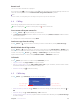
During a call, you can hide the in-call menu and use other applications. The Dialer app will continue to run in
the background.
• Hide the in-call menu
During a call, tap the Home button or Back button to hide the in-call menu, or tap Recent apps button to
open the list of recently used apps. Then your phone will display icon in the status bar.
• Return to the in-call menu
Swipe down from the status bar to open the Notification Panel, tap the call item to return to in-call menu.
• End a call when the in-call menu is hidden
To end a call, swipe down from the status bar to open the Notification Panel and tap HANG UP, or return
to in-call menu and tap .
Adjust the call volume
Press the Volume button to increase or decrease the volume.
Place a new call while in a call
You can make another call while a call is in progress.
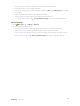
1. While making a call with others, tap on the in-call menu.
2. Enter another phone number or choose another contact, then tap to dial.
Note:
This function needs the support of local operator. Contact your carrier to find out how to use this feature.
Call Waiting
When you want to answer a new incoming call while you are calling someone, you can use call waiting function.
1. Swipe up to answer the new call and hold ongoing call.
2. When you want to reactivate the previous call and place the new caller on hold, tap .
Note:
This function needs the support of local operator. Contact your carrier to find out how to use this feature.