
Operation Manual






24Chapter 4 . Calls and Contacts
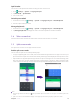
• Quick response message: Swipe
up to reject the call and select a quick response message to the caller.
Or you also can tap Write your own... and enter your own response message, then tap SEND.
When the screen is unlocked:
• Answer a call: Tap ANSWER.
• Reject a call: Tap DECLINE.
Note:
When a call comes in, you can press the Volume button or Power button to mute the ringtone.
4. 3 Options during a call
In-call menu
During a call, your phone will display an in-call menu.