Microwave Oven [en] User manual and installation instructions HLAWD23.0.
en Safety Table of contents INFORMATION FOR USE 1 Safety .................................................................... 2 2 Preventing material damage ............................... 5 3 Environmental protection and saving energy ....................................................................... 6 4 Familiarising yourself with your appliance ........ 7 5 Before using for the first time ............................. 8 6 Basic operation ..................................................
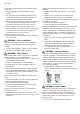
Safety Overheating of the appliance may cause a fire. ▶ Never install the appliance behind a decorative door or unit door. WARNING ‒ Risk of burns! Accessories and cookware get very hot. ▶ Always use oven gloves to remove accessories or cookware from the cooking compartment. When the cooking compartment is hot, any alcoholic vapours inside may catch fire. ▶ Only use small quantities of drinks with a high alcohol content in food. ▶ Open the appliance door carefully.
en Safety Food and its packaging and containers may catch fire. ▶ Never heat food in heat-retaining packaging. ▶ Do not leave food unattended while it is heating in containers made of plastic, paper or other combustible materials. ▶ Never set the microwave power too high or the cooking time too long. Follow the instructions provided in this user manual. ▶ Never use the microwave to dry food. ▶ Never defrost or heat food with a low water content, such as bread, at too high a microwave power or for too long.
Preventing material damage Cookware and containers made from metal or cookware with metal edging may lead to sparks being formed during simple microwave operation. The appliance is damaged. ▶ Never use metal containers during microwave-only operation. ▶ Only use microwave-safe cookware. WARNING ‒ Risk of electric shock! The appliance uses a high voltage. ▶ Never remove the casing.
en Environmental protection and saving energy Liquid that penetrates the interior of the appliance may damage the turntable drive. ▶ Monitor the cooking process. ▶ Set a shorter cooking time first and, if necessary, increase the cooking time. ▶ Never use the appliance without the turntable. 3 Environmental protection and saving energy 3.1 Disposing of packaging 3.2 Saving energy The packaging materials are environmentally compatible and can be recycled.
Familiarising yourself with your appliance en 4 Familiarising yourself with your appliance 4.1 Control panel You can use the control panel to configure all functions of your appliance and to obtain information about the operating status. Note: On certain models, specific details such as colour and shape may differ from those pictured. 5 4 3 2 1 1 2 3 4 5 Automatic door opener Open the door automatically. Touch fields Select functions. Clock button Set or display the time.
en Before using for the first time Notes ¡ In the event of a power cut, the automatic door opener does not work. You can open the door manually. ¡ If you open the appliance door during operation, this pauses the operation. ¡ When you close the appliance door, the operation does not continue automatically. You must restart the operation. ¡ If the appliance is switched off for an extended period of time, the appliance door opens with a time delay. 4.
Basic operation en 6 Basic operation 6.1 Microwave power settings Not microwave-safe This is where you can find an overview of the different microwave power settings and when to use them. Cookware and accessor- Reason ies Metal cookware Metal does not allow microwaves to pass through. The food hardly heats up. Cookware with gold or sil- Microwaves can damage ver decoration gold and silver decoration. Tip: You can only use this kind of cookware if the manufacturer guarantees that it is microwave-safe.
en Memory 1. Follow the safety instructions. → Page 3 2. Read the safety instructions and the section on how to prevent material damage. → Page 5 3. Read the information on microwave-safe cookware 6.5 Changing the cooking time You can change the cooking time at any time. ▶ Use the rotary selector to set the required duration. and accessories. → Page 9 4. Use the buttons to set the required microwave power setting. 5. Use the rotary selector to set the required duration.
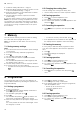
Programmes ▶ Press 8.3 Cancelling the operation twice or open the door and press en once. 8.4 Defrosting with the automatic programmes You can use the four defrosting programmes to defrost meat, poultry and bread. Programme P01 P02 P03 P04 Food Minced meat Pieces of meat Chicken, chicken pieces Bread Cookware Open Open Open Open Weight range in kg 0.20–1.00 0.20–1.00 0.40–1.80 0.20–1.00 5. Note: Liquid is produced when you defrost meat Defrosting food using the automatic programmes 1.
en Basic settings 9 Basic settings You can configure the basic settings for your appliance to meet your needs. 9.1 Overview of the basic settings Here you can find an overview of the basic settings and factory settings. The basic settings depend on the features of your appliance. Setting Button tone Selection Meaning 1 ¡ Switch the button tone on and off. ¡ Note: The button tone remains active for and . Demo mode Activate or deactivate demo mode.
Cleaning and servicing ATTENTION! Unsuitable cleaning agents damage the surfaces of the appliance. ▶ Do not use harsh or abrasive cleaning products. ▶ Do not use cleaning products with a high alcohol content. ▶ Do not use hard scouring pads or cleaning sponges. ▶ Do not use any special cleaners for cleaning the appliance while it is hot. ▶ Only use glass cleaners, glass scrapers or stainless steel care products if recommended in the cleaning instructions for the relevant part.
en Troubleshooting 2. Clean the door panels with a soft dish cloth and glass cleaner. Note: Shadows on the door panels, which look like streaks, are caused by reflections made by the interior lighting. 3. Dry with a soft cloth. 10.7 EasyClean The cleaning aid is a quick alternative for occasionally cleaning the cooking compartment. The cleaning aid softens dirt by vaporising the soapy water. The dirt can then be removed more easily. 2. Place a spoon in the cup to prevent delayed boiling. 3.
Disposal Fault Microwave mode is cancelled. The appliance is not in operation. A cooking time is shown in the display. en Cause and troubleshooting Appliance has a fault. ▶ If this fault recurs, call the after-sales service. The settings area has been activated accidentally. ▶ Press . was not pressed after the setting was implemented. or delete the setting by pressing . Three zeros flash on There has been a power cut. the display. ▶ Reset the time.
en How it works 14 How it works Here, you can find the ideal settings for various dishes as well as the best accessories and cookware. We have tailored these recommendations to your appliance. 14.1 What is the best way to proceed? In this section, you will find out the best way to proceed step-by-step in order to be able to make optimum use of the recommended settings. You will get information on many meals, with details and tips on how to best use and set your appliance.
How it works en Defrosting with the microwave Observe the recommended settings for using the microwave to defrost frozen food.
en How it works 14.4 Heating With your appliance you can heat food. Heating food WARNING ‒ Risk of burns! Heated food gives off heat. The cookware may become hot. ▶ Always use oven gloves to remove cookware or accessories from the cooking compartment. WARNING ‒ Risk of scalding! There is a possibility of delayed boiling when a liquid is heated. This means that the liquid reaches the boiling temperature without the usual steam bubbles rising to the surface.
Installation instructions en Heating in the microwave Observe the recommended settings for using the microwave to heat food. Food Amount Cooking time in mins 200 ml 500 ml 50 ml 100 ml 200 ml 200 g 400 g 350–500 g Microwave power setting in W 800 800 360 360 360 600 600 600 Beverages1 Beverages1 Baby food, e.g. baby bottles4 Baby food, e.g. baby bottles4 Baby food, e.g.
en Installation instructions 15.2 Electrical connection In order to safely connect the appliance electrically, follow these instructions. 15.1 Safe installation Follow these safety instructions when installing the appliance. ¡ The appliance can only be used safely if it is correctly installed according to the safety instructions. The installer is responsible for ensuring that the appliance works perfectly at its installation location. ¡ Check the appliance for damage after unpacking it.
Installation instructions 15.5 Installation dimensions in the upper cabinet Observe the installation dimensions and the safety clearances in an upper cabinet. en 15.8 Preparing the tall unit 1. Determine the wall thickness of the unit. An x-value is assigned to the wall thickness. 2. Note: The x-value corresponds to the clearance between the lower hole on the connection plate and the bottom of the fitted unit. Screw the connection plate tightly to the tall unit.
en Installation instructions 3. Screw the middle screw tightly on the base of the microwave. 15.10 Installing the appliance 1. Secure the spacers to the appliance in accordance with the wall thickness. 4. Loosen the two outer screws on the microwave base. 2. Note: Do not trap or kink the power cable. 5. Secure the built-in frame on the microwave base with the two outer screws. Insert the appliance into the unit and move it to the right. 6.
Installation instructions en 4. Check the clearance to the adjacent appliances. The clearance to the adjacent appliances must be at least 3 mm. 5. Remove any packaging material and adhesive film from the cooking compartment and the door.
Valid within Great Britain: Imported to Great Britain by BSH Home Appliances Ltd.