
Electronics America Portable Projector User's Manual


Table Of Contents
- INDEX
- Front cover
- Important Information
- 1. Introduction
- 2. Installation and Connections
- 3. Projecting an Image (Basic Operation)
- 4. Convenient Features
- (1) Turning off the Image and Sound
- (2) Freezing a Picture
- (3) Enlarging a Picture
- (4) Changing Eco Mode
- (5) Checking Energy-Saving Effect [CARBON METER]
- (6) Preventing the Unauthorized Use of the Projector [SECURITY]
- (7) Using the Optional Remote Mouse Receiver (NP01MR)
- (8) Network Setting by Using an HTTP Browser (NP215 only)
- 5. Using On-Screen Menu
- 6. Maintenance
- 7. Appendix
29
4. Convenient Features
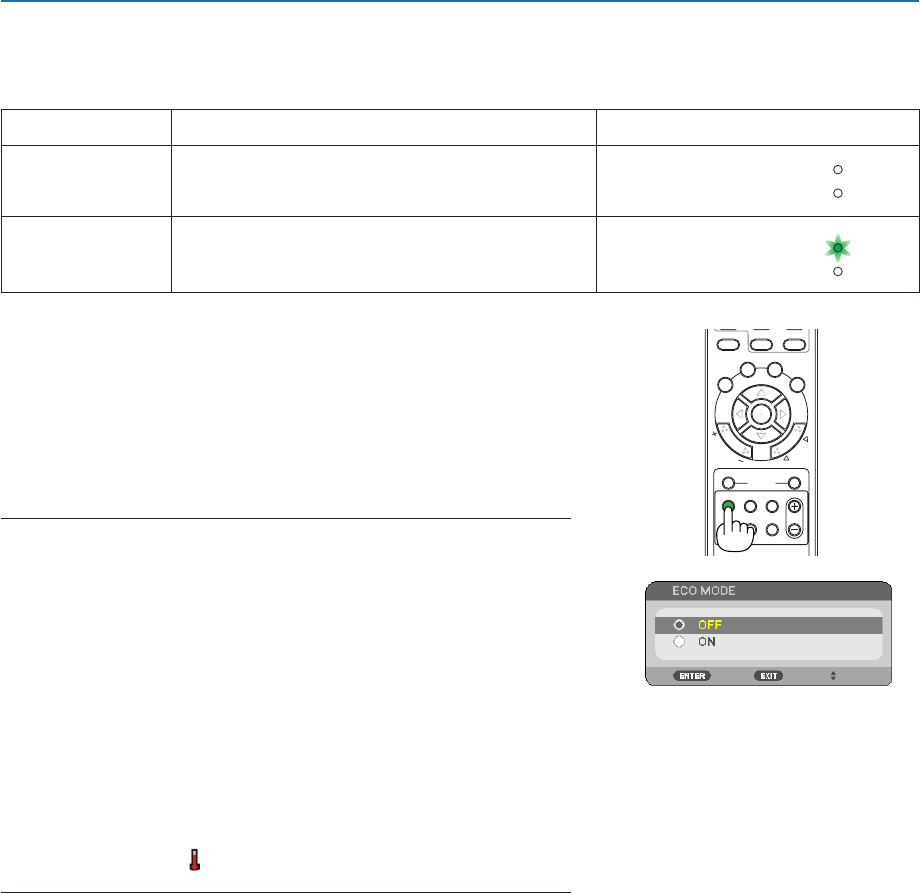
Changing Eco Mode
This feature enables you to select two brightness modes of the lamp:
OFFandONmodes.Thelamplifecanbeextendedbyturningonthe[ECOMODE].
[ECOMODE] Description Status of LAMP indicator
[OFF] This is the default setting (100% Brightness). Off
STATUS
LAMP
[ON] Select this mode to increase the lamp life (approx.
90% Brightness.)
Steady Green light
STATUS
LAMP
ON
OFF
AUTO ADJ.
COMPUTER
VIDEO
S-VIDEO
VIEWER
ID SET
CLEAR
AV-MUTE FREEZE
ENTER
EXIT
ECO MODE
KEYSTONE
PICTURE
VOL.
HELP
FOCUS
ASPECT
123
456
789
0
MENU
ZOOM
L
-CLICK
R
-CLICK
MOUSE
P
A
G
E
M
A
G
N
I
F
Y
POWER
+
Toturnonthe[ECOMODE],dothefollowing:
1. Press the ECO MODE button on the remote control to display
[ECO MODE] screen.
2. Use the or button to select [ON].
3. Press the ENTER button.
To change from [ON] to [OFF], Go back to Step 2 and select [OFF].
Repeat Step 3.
NOTE:
• The[ECOMODE]canbechangedbyusingthemenu.
Select[SETUP]→[GENERAL]→[ECOMODE].
• Thelampliferemainingandlamphoursusedcanbecheckedin[USAGETIME].
Select[INFO.]→[USAGETIME].
• Theprojectorisalwaysin[OFF]for60secondsafterthelampisturnedonand
whilethePOWERindicatorisblinkinggreen.Thelampconditionwillnotbe
affectedevenwhen[ECOMODE]ischanged.
• Afteralapseof45secondsfromwhentheprojectordisplaysablue,blackor
logoscreen,[ECOMODE]willautomaticallyswitchto[ON].Thisisdoneonly
when[ECOMODE]issetto[OFF].
• Iftheprojectorisoverheatedin[OFF]mode,theremaybeacasewherethe[ECO
MODE]automaticallychangesto[ON]modetoprotecttheprojector.Whenthe
projectorisin[ON]mode,thepicturebrightnessdecreases.Whentheprojector
comesbacktonormaltemperature,the[ECOMODE]returnsto[OFF]mode.
Thermometer symbol [ ]indicatesthe[ECOMODE]isautomaticallysetto
[ON]modebecausetheinternaltemperatureistoohigh.