
Electronics America Portable Projector User's Manual


Table Of Contents
- INDEX
- Front cover
- Important Information
- 1. Introduction
- 2. Installation and Connections
- 3. Projecting an Image (Basic Operation)
- 4. Convenient Features
- (1) Turning off the Image and Sound
- (2) Freezing a Picture
- (3) Enlarging a Picture
- (4) Changing Eco Mode
- (5) Checking Energy-Saving Effect [CARBON METER]
- (6) Preventing the Unauthorized Use of the Projector [SECURITY]
- (7) Using the Optional Remote Mouse Receiver (NP01MR)
- (8) Network Setting by Using an HTTP Browser (NP215 only)
- 5. Using On-Screen Menu
- 6. Maintenance
- 7. Appendix
25
3. Projecting an Image (Basic Operation)
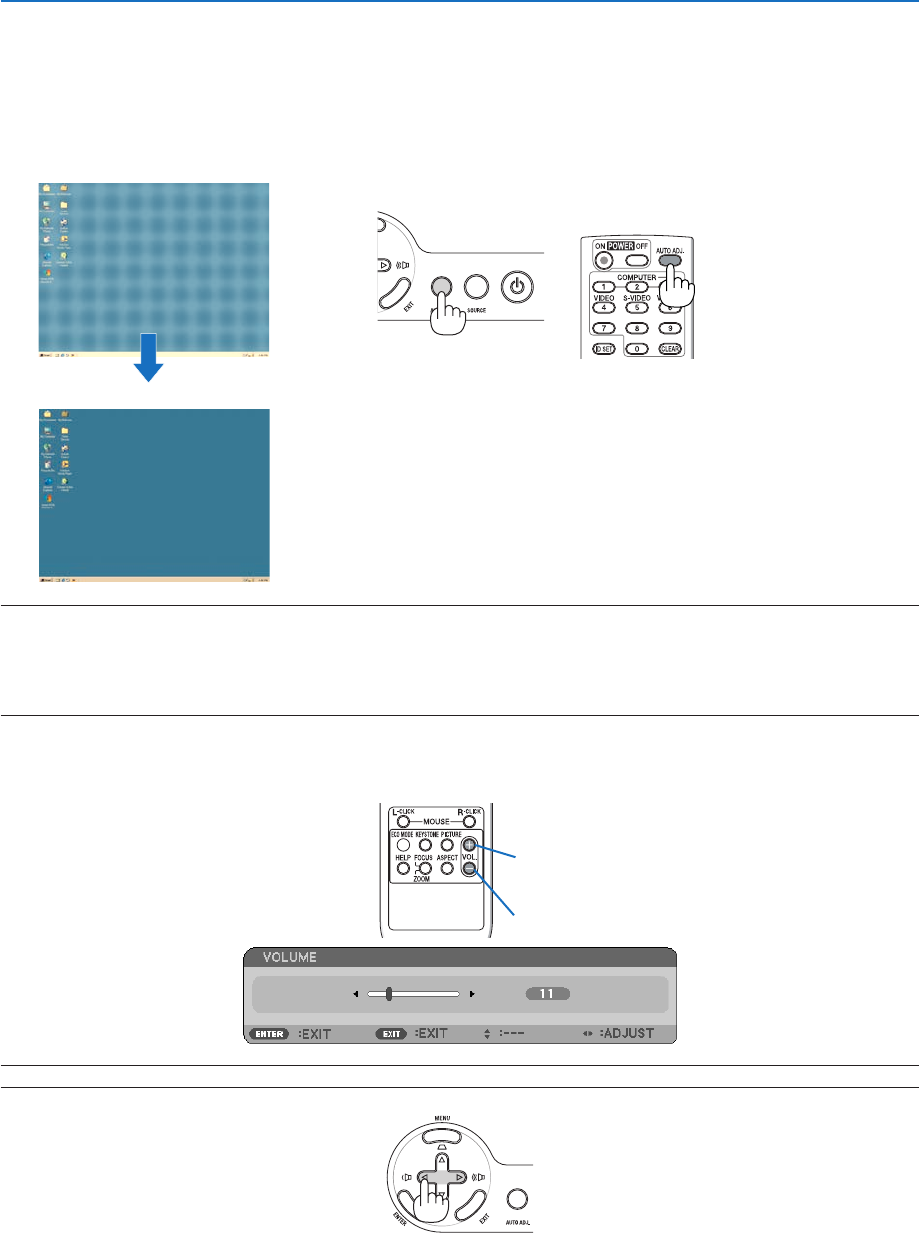
Optimizing Computer Signal Automatically
Adjusting the Image Using Auto Adjust
Optimizingacomputerimageautomatically.
PresstheAUTOADJ.buttontooptimizeacomputerimageautomatically.
This adjustment may be necessary when you connect your computer for the first time.
[Poor picture]
[Normal picture]
NOTE:
Some signals may take time to display or may not be displayed correctly.
• TheAutoAdjustfunctionwillworkforcomputer(RGB)signalonly.
• IftheAutoAdjustoperationcannotoptimizethecomputersignal,trytoadjust[HORIZONTAL],[VERTICAL],[CLOCK],and[PHASE]
manually.(→ page 47, 48)
Turning Up or Down Volume
Sound level from the speaker can be adjusted.
TIP: When no menus appear, the and buttons on the projector cabinet work as a volume control.
+
Increase volume
Decrease volume