
Server User's Guide




5-68 Installing and Using Utilities
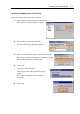
Configure the system settings using the ft server utility in the following procedure. The system
cannot be configured using the NEC ESMPRO Manager.
1. Select [General] in the [FTServer] tree.
2. Check the property of carrying out the modification with [System Settings] (or cancel the
check).
3. Click the [Apply] button.
Sample screen of ft server utility