
user manual




16 - 6 Reports
Issue 3 EliteMail VMS/EliteMail Limited
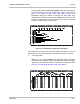
Figure 16-7 Extension List Report
The Extension List uses these codes:
YYes
NNo
X A telephone extension that matches subscriber Extension # ID
A Await Answer call transfer
R Release call transfer
W Wait for Ringback call transfer
In the transfer
Options
field, the report uses the voice mail system
standard transfer and screening option codes. For details on the
codes, refer to Chapter 2 Section 2 Call Transfer on page 2-11 and
Section 3 Screen Calls on page 2-16.
Group Reports
The Group Reports give current information about the message groups
and directory groups in the system. The information about message
groups changes often, because all authorized subscribers can create
message groups using the telephone. By running the Group Reports from
time to time, you can verify that each message group is used, and that
there are no duplicate groups. Group reports include:
Group List
This report can include all message groups, open message groups
only, or all the groups owned by a particular subscriber. Refer to
Figure 16-8 Group List. The list shows the group spelled name,
whether the group is open or private, whether or not it has dispatch
distribution, and the group owner.