
User`s guide




4-3adMin tooLS Menu
1
2
3
4
5
6
7
8
9
10
11
12
13
AI
uSinG the adMin tooLS
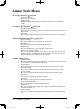
<Network Configuration> page 4-31
• [TCP/IP]
This sets the network environment (IP address, subnet mask, etc.).
• [SMTP/POP]
This sets the e-mail environment (e-mail addresses, servers, etc.).
• [E-mail Settings]
This sets the sent document file format, e-mail template registrations, etc.
• [LDAP Settings]
This creates settings for the LDAP (Light Directory Access Protocol) server.
• [Folder Shortcuts]
This creates folder shortcuts.
• [FTP Shortcuts]
This creates FTP shortcuts.
• [Archive Settings]
This creates settings for archive.
• [SNMP Settings]
This setting allows you to configure SNMP related items.
• [Network Filtering]
This setting protects the machine from unauthorized access.
• [Machine Settings]
Enter the copy default setting, scan default setting, fax setting or import/export
the settings here.
• [Network Settings Code]
Enter the protective pass code for the Admin Tools setting. Two kinds of protec-
tion are available: Read only or Read/Write.
• [Authentication Settings]
This sets the authentication mode.
PC_Users_Guide.indb 3 2007/04/27 10:17:56