
User`s guide


3-26 SetuP
Category
Register or edit a category name
You can pre-register up to 10 category names. The registered category names can be
used for categorizing documents that users scan from the machine.
1
Start OfficeBridge and log in. (see page 2-11)
2
Click the “Options” tab.
3
Click [Category].
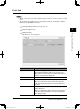
The “Category Settings” screen will appear.
4
To register a new category name, select an available location.
To edit a category name, click the desired category name.
The “Category Setting” dialog will appear.
5
Enter or edit the category name, then click [Save].
NOTE
• The name can contain up to 20 characters.
• You cannot enter a space as the first letter of the category.
6
If you want to register or edit another category, repeat procedures from step 3.
Otherwise, click [Close] to finish.
PC_Users_Guide.indb 26 2007/04/27 10:17:54