
User`s guide


3-20 ManaGeMient inforMation
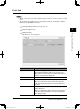
Fax History
Checks the history of sent and received faxes.
1
Start OfficeBridge and log in. (see page 2-11)
2
Click the “Options” tab.
3
Click [Fax History].
The “Fax History” list will appear and the fax history can be checked.
Items Descriptions
Page Switches the page of the fax history display.
The underlined numbers indicate pages that can be
displayed; the number that is not underlined indicates
the page currently being displayed.
Display Sets the number of communications displayed (10, 20,
or all).
Fax Transmission
History
Select either “Fax Transmission History” or “Fax Recep-
tion History” as the fax history to be displayed.
Destination The fax address/sender will be displayed.
When you click the list button and select an address/
sender, the displayed history will be narrowed down by
the address/sender.
Resolution The fax resolution will be displayed.
Date and Time The transmission start time will be displayed.
Time The duration of the fax transmission will be displayed.
Pages The number of pages in the fax will be displayed.
User The user name will be displayed.
Result The transmission result will be displayed.
For details on the items displayed, refer to the main
unit’s user’s guide.
PC_Users_Guide.indb 20 2007/04/27 10:17:53