
User`s guide


3-18 coMMon Job SettinGS
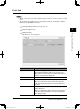
Items Descriptions
Pages The number of pages printed will be displayed in the
form “xx/xx” (where x is the number of pages).
Submitted The date and time when the print job was submitted
will be displayed.
[Cancel Printing] Check the job you want to cancel and click this button.
The cancel confirmation dialog will appear. When you
click the [OK], printing will be canceled and the job will
be deleted from the list.
[Close] Closes the “Print Job” list.
4
Click [Close].
The “Print Job” list will be closed.
PC_Users_Guide.indb 18 2007/04/27 10:17:53