
User`s guide




3-3uSer reGiStration
1
2
3
4
5
6
7
8
9
10
11
12
13
AI
uSinG the oPtion tooLS
User Registration
NOTE
In order to gain OfficeBridge access, you must be a registered user. Contact your
System Administrator, if necessary.
User Registration
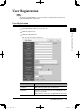
Enter or edit your user information.
1
Start OfficeBridge and log in. (see page 2-11)
2
Click the “Options” tab.
3
Click [User Registration].
The “User Set-up” dialog will appear.
Items Descriptions
User Name
*1
(required)
Enter the name of the “OfficeBridge” user.
This item may contain up to 30 characters.
Password
*1
Enter the user password used to start OfficeBridge and
log in. (see page 2-11)
This item may contain up to 20 alphanumeric characters.
PC_Users_Guide.indb 3 2007/04/27 10:17:50