
User`s guide




2-36 uSinG officebridGe functionS
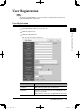
How to attach temporary storage files
You can attach a temporary storage document to fax or e-mail or to a posting docu-
ment. You can also send documents stored in temporary storage to a fax or e-mail
address, without attaching another file. For transmission, we describe the details in
“PC fax transmission and reception” on page 2-13. Here is a brief review:
1
After you clicked either [Send] or [Post to the Bulletin Board] the function set-
ting screen will appear.
2
Click [Change] in “Document”.
3
Click “Temporary Storage” to open it.
4
Check the boxes next to the file names to select and click [Add].
When you check the box next to “File Name”, all the displayed files will be selected.
If you have chosen a wrong file, select the file from the list below and select
[Delete].
5
After you have added all of the desired files, click [Save].
6
After you have adjusted the necessary settings, click either [Send] or [Post] to
send or post the files with temporary storage documents attached.
PC_Users_Guide.indb 36 2007/04/27 10:17:49