
User`s guide




2-27uSinG officebridGe functionS
1
2
3
4
5
6
7
8
9
10
11
12
uSinG officebridGe
13
AI
5
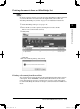
Click [Post to the Bulletin Board].
The “Bulletin Board” dialog will appear.
6
Adjust any document settings. For a listing of settings, see page 2-25.
7
Click [Post].
Posting a file from the machine
You may scan a document from your machine to the bulletin board. See “Scan to
bulletin board” in Chapter 6, “Scanner Functions” in the MFP User’s Guide for
instructions on how to operate it.
PC_Users_Guide.indb 27 2007/04/27 10:17:48