
User`s guide




1-13inStaLLinG officebridGe on your Pc
1
2
3
4
5
6
7
8
9
10
11
GettinG Started
12
13
AI
Installing the driver
NOTE
• To install the local print driver on your PC, see the “Printer and Scanner Driver
Manual” on CD.
• Install utility programs or drivers on each computer.
• Before installing, scan for viruses and close any running applications. Failing to
do so may interfere with proper installation.
• Windows 2000, Windows XP, Windows NT 4.0 and Windows server 2003 requires
that you have administrative access to install drivers and utility programs on
your computer.
• This example uses the F-565, however the instructions given will apply to all
models.
1
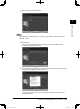
Insert the “Installation Disk” CD into the CD-ROM drive on your computer.
NOTE
For Windows Vista users:
(1) If the “AutoPlay” dialog box appears, click [Run Setup.exe].
(2) When the “User Account Control” dialog box appears, enter an administrator
password or provide confirmation.
PC_Users_Guide.indb 13 2007/04/27 10:17:40