
User`s guide




6-12 creatinG a Shared foLder
Creating a shared folder
To use ”Scan to folder” or “Scan to printer”, you will need to set up a shared folder.
For more information how to share a folder, refer to the Windows “help”.
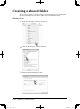
Windows Vista
1
Right click the folder, and select “Properties”.
2
Click the “Sharing” tab, and select [Share].
3
Click “Network and Sharing Center”.
PC_Users_Guide.indb 12 2007/04/27 10:18:17