
User`s guide




5-16 Muratec ob docuMent downLoad ManaGer
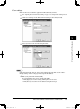
Run the task
1
Open the Muratec OB Document Download Manager.
2
Select the task you want to run, and click [Run].
When you want to run all the tasks, click [Run All].
3
The selected tasks will be executed, and the result will be displayed.
• If there were no documents to be downloaded, “No documents in queue” will
be displayed.
PC_Users_Guide.indb 16 2007/04/27 10:18:11