
User`s guide



4-42 network confiGuration
LDAP Settings
NOTE
If you are unsure about these settings, consult your system administrator.
Registering or editing LDAP server setting
1
Open the “Admin Tools” screen. (see page 4-4)
2
Click [LDAP Settings]
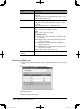
The “LDAP Settings” screen will appear.
Items Descriptions
No. The LDAP server number.
Name The registered LDAP server name.
Default Settings The default LDAP server.
To change the default server, select the [OFF] button of
the LDAP server you want to use as the default server.
[Initialize] Initialize the settings. The settings will return to the
factory default setting.
[Parameter Settings] Select this button to configure the LDAP parameters.
See page 4-45 “Parameter Settings” how to configure
them.
3
Select a number (01 to 05) you want to register or edit.
The “LDAP Server Settings” dialog will appear.
4
Configure the settings and click [Save].
PC_Users_Guide.indb 42 2007/04/27 10:18:03