
User`s guide





4-13ManaGeMent inforMation
1
2
3
4
5
6
7
8
9
10
11
12
13
AI
uSinG the adMin tooLS
Management Information
Device Settings
NOTE
When the “Network Setting Code” is protecting the Device Settings, you can edit
this function from Admin Tools only. Refer also to page 3-19 “Device Settings” in
Chapter 3.
Registering device information
Registers specific device information to distinguish machines when multiple units
have been installed.
1
Open the “Admin Tools” screen. (see page 4-4)
2
Click [Device Settings]
The “Device Settings” dialog will appear.
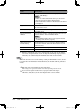
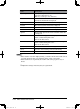
Items Descriptions
Device Name Enter the name of the main unit in order to identify the
device. The name may contain up to 40 characters.
Installation Location Enter the location where the main unit is installed, the
department where it is used (managed), etc.
The location may contain up to 100 characters.
PC_Users_Guide.indb 13 2007/04/27 10:17:58