Specifications
Manuals
Brands
Muratec Manuals
Printer
F-565
311
312
313
314
315
316
317
318
319
320
5-24
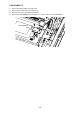
PCB CONNECT C
1)
Remove the Chassis FBS. (See page 5-33)
2)
Remove the Tray exit paper. (See page 5-12)
3)
Disconnect the connector and the Film harness.
4)
Remove two PCB CONNECT C mounting screws, and then remove the PCB CONNECT C.
PCB CONNECT C
1
...
...
312
313
314
315
316
...
...
383