
Instruction manual




MTD 4000 Instruction Manual — Rev.M_11/19/14
27
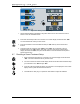
7. Press the start button. All parameter settings are confirmed and the treatment starts.
8. Press the stop button to stop treatment and release the traction force. The system will revert
to Normal Setting status.
9. NOTE: The patient can press the “Patient Safety Button” to stop treatment and release the
traction force if any discomfort is experienced during the treatment. The alarm buzzer will
sound and the display will show an error code “E-4”. To revert to the operational status, “E-4”
can be removed by pressing the stop button.
6.4 Changing Parameters during Treatment in the Continuous Mode
1. While a treatment is running, press the set button to adjust the traction force. The unit beeps
and the “Hold” display will start flashing. Turn the control knob to set the desired force value.
Press the set button again to save the hold force value and resume treatment. NOTE:
When an indicator is flashing, no key press within 10 seconds will cause the flashing to
automatically stop.
2. While a treatment is running, press the time button to adjust treatment time. The unit beeps
and the timer display will start flashing. Turn the control knob to set the desired time. Press
the time button again to save the time and resume treatment.
6.5 Changing Parameters during Treatment in the Intermittent Mode
1. While a treatment is running, press the set button to adjust traction force. The unit beeps
and the “Hold” display will start flashing. Turn the control knob to set the desired force value.
Press the set button again to save the hold force value and adjust the rest force value. After
the rest force value is set, press the set button to resume treatment.
2. While a treatment is running, press the time button to adjust treatment time. The unit beeps
and the timer display will start flashing. Turn the control knob to set the desired time. Press
the time button again to save the time and resume treatment.