
Computer Computer Hardware User Manual


3-18
MS-6775 ATX Mainboard
After AC Power Loss
This setting specifies whether your system will reboot after a power failure or
interrupt occurs. Available settings are:
Power Off Leaves the computer in the power off state.
Power On Leaves the computer in the power on state.
Last State Restores the system to the previous status before power
failure or interrupt occurred.
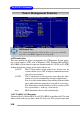
Set WakeUp Events
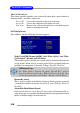
Press <Enter> and the following sub-menu appears.
Wake Up On PME, Resume On KBC (with “Wake-Up Key” and “Wake-
Up Password”), Resume On PS/2 Mouse
These fields specify whether the system will be awakened from power
saving modes when activity or input signal of the specified hardware
peripheral or component is detected. Settings: Enabled, Disabled.
Resume By Alarm
This is used to enable or disable the feature of booting up the system on
a scheduled time/date from the soft off (S5) state. Settings: Enabled,
Disabled.
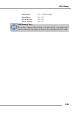
Alarm Date/Hour/Minute/Second
If Resume By Alarm is set to Enabled, the system will automatically re-
sume (boot up) on a specific date/hour/minute/second specified in these
fields. Available settings for each item are:
MSI Reminds You...
For “Wake-Up Key” function, the option “Specific Key” refers to
the password you specify in the “Wake-Up Password” field. Once
you set up a password, it will disable “Resume on PS/2 Mouse”.