
Remote Control Manual


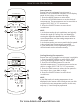
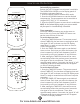

Table Of Contents
- mrcool-diy-II-remote-manual-Fcover
- mrcool-diy-II-remote-manual-P01
- mrcool-diy-II-remote-manual-P02
- mrcool-diy-II-remote-manual-P03
- mrcool-diy-II-remote-manual-P04
- mrcool-diy-II-remote-manual-P05
- mrcool-diy-II-remote-manual-P06
- mrcool-diy-II-remote-manual-P07
- mrcool-diy-II-remote-manual-P08
- mrcool-diy-II-remote-manual-P09
- mrcool-diy-II-remote-manual-P10
- mrcool-diy-II-remote-manual-P11
- mrcool-diy-II-remote-manual-P12
- mrcool-diy-II-remote-manual-Bcover

3
TEMP UP Button
Push this button to increase the indoor temper-
ature setting in 1°F increments to 86°F.
TEMP DOWN Button
Push this button to decrease the indoor temper-
ature setting in 1°F increments to 62°F.
NOTE: Temperature contol is not available in Fan
mode.
NOTE: Press and hold UP and DOWN buttons together
for 3 seconds will toggle the temperature display
between the °C & °F scales.
MODE Button
Press this button to modify the air conditioner
mode in a sequence of following:
AUTO COOL DRY HEAT FAN
NOTE: Please do not select HEAT mode if the machine
you purchased is cooling only type. Heat mode is not
supported by the cooling only appliance.
SWING Button
Used to stop or start horizontal louver movement
or set the desired up/down air flow direction. The
louver changes 6 degree in angle for each press. If
keep pushing more than 2 seconds, the louver will
swing up and down automatically.
ECO Button
Used to enter the energy efficient mode. Under
cooling mode, press this button, the remote
control will adjust the temperature automatically
to 75°F, fan speed of Auto to save energy (but only
if the set temperature is less than 75°F). If the set
temperature is between 75°F and 86°F, press the
ECO button, the fan speed will change to Auto, the
set temperature will remain unchanged.
NOTE:
•Pressing the TURBO and SLEEP button, modifying the
mode or adjusting the set temperature to less than
75°F will stop ECO operation.
•Under ECO operation, the set temperature should be
75°F or more. it may result in insufficient cooling. If
you feel uncomfortable, just press the ECO button
again to stop it.
TEMP
AUTO
COOL
DRY
HEAT
FAN
HIGH
MED
LOW
MODE
FAN SPEED
TIMER ON
ECO
ON/OFF
TIMER OFF
RESET LOC K
1
2
4
5
6
7
8
3
10
9
11
12
13
14
O
SET TEMPERATURE ( F)
LED
DISPLAY
TURBO
SWING
CLEAN
/
AIR
SWING
Model: RG51F3/EU1 and
RG51F/EU1(This model does not
have clean air button
1
2
3
4
5
Operation of Buttons
For more details visit www.MrCool.com