
User`s manual




6
6
Chapter 6 Troubleshooting
Common CP-134U Series problems and possible solutions are listed below. If you cannot find a
solution to your problem in this chapter, contact your dealer or Moxa for help. For your
convenience, a standard Problem Report Form is given at the end of this manual.
General Troubleshooting
1. The MOXA PCI board cannot be detected by the MOXA driver while installing the
driver.
Hardware causes and solutions:
a. The board is not installed in the computer. Please install it.
b. The board is not properly plugged into the system. If this is the case, re-plug the board
into a 32-bit PCI slot. It is also possible that a slot has malfunctioned. In this case, try
other slots until you find one that works.
c. The motherboard does not have an available IRQ for the CP-134U Series board. In this
case, enter the BIOS and make sure there is an availalbe IRQ under PCI/PnP settings.
2. The MOXA board and driver are activated but cannot transfer (transmit/receive) data.
Hardware Causes and Solutions:
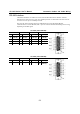
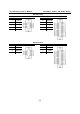
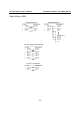
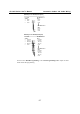
a. Make sure the cable wiring is connected correctly. Refer to the “Connection Cable and
Cable Wiring” chapter for correct cable connections.
b. The cable or the board are probably defective. Try other ports, cables, or boards to verify
this, or use th PComm Diagnostic utility to test the MOXA board and port conditions. If
Diagnostic reports an error, replace the faulty components.
Software Causes and Solutions:
a. CP-134U Series boards will check the line status (CTS) before transmitting data if the
RTS/CTS flow control feature is set to Enable in the configuration or application program.
Refer to the Connection Cables and Cable Wiring chapter for proper wiring diagrams,
and check the line status of the suspected port using the diagnostic LED indicators on the
mini tester.
b. The board control application may be incompatible with the corresponding API of the
operating system. To check this problem, run another existing and known good
application or use the utilities provided by Moxa (such as PComm Terminal emulator), or
other third party utilities, such as HyperTerminal under Windows NT and Windows
95/98.