
User`s manual





CP-134U Series User’s Manual Software Installation
3-36
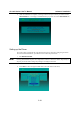
F5 Group Edit
This convenient function helps you edit the configuration of several ports at the same time.
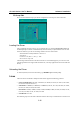
Loading the Driver
After completing the setup process, you can load the driver by running BIN\DP-DRV.EXE from
the DOS prompt. The driver will automatically detect the board you just installed. If one or more
boards are detected, you will see a message similar to the one shown below:
Smartio/Industio Family DOS driver Version 1.5
Setup driver …
CP-134U series (Bus= x ,Dev=y) : OK!
Device driver setup O.K.
This message indicates that the CP-134U Series driver was installed properly. You can now start
running applications that support API-232 functions, or develop applications that use the API-232
library.
Unloading the Driver
To unload (release) the driver from memory, type DP-DRV/Q at the DOS prompt.
Linux
The Linux driver for MOXA’s multiport serial boards supports the following products:
y Universal PCI Boards: CP-168U, CP-104UL, CP-104JU, CP-134U, CP-134U-I, CP-132UL,
CP-132UL-I V2(CP-132U-I V1)
y PCI Boards: C168H/PCI, C104H/PCI, C104HS/PCI, CP-114, CP-114I, CP-114S, CP-114IS,
CP-132, CP-132I, CP-132S, CP-132IS
y ISA Boards: C168H, C168HS, C168P, C104H, C104HS, C104P, CI-104J, CI-104JS, CI-134,
CI-134I, CI-134IS, CI-132, CI-132I, CI-132IS
y cPCI Boards: CT-114I
The following steps use CP-168U to illustrate. Follow these steps to install the driver under Linux.