
User`s manual





CP-134U Series User’s Manual Software Installation
3-35
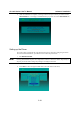
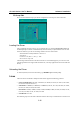
3. Press PgDn to configure CP-134U’s port settings. The values displayed when the window
first opens are the default values configured when the driver is installed.
4. Press F10 to save the modifications and exit the SETUP program.
Legends
The most often used fields and functions are explained below.
Port number
This is the port ID of the port. The application software uses the port ID to refer to a port.
Duplicate port numbers are not allowed.
Port numbers can be any number between 0 and 255, provided port numbers are unique. Also, be
sure to define a port number for each port. In general, you should take into account the type of
application program that will be used, and assign port numbers that make the programmer’s job
easier.
TxD buffer size
The transmission (output) buffer allocated by the system for each port.
RxD buffer size
The receiving (input) buffer allocated by the system for each port.