
User`s manual





CP-134U Series User’s Manual Software Installation
3-34
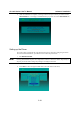
2. After the installation is complete, a message window will open to ask if you want to run the
SETUP.EXE file. It is strongly recommended that you press Y to run this SETUP.EXE file.
Setting up the Driver
This section does not illustrate all of the functions that can be used when configuring the board.
For more detailed information, press F1 to see the on-line help instructions.
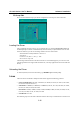
1. Run BIN\SETUP.EXE.
NOTE
Running SETUP.EXE completes the configuration of the CP-134U Series board. Skip directly to
step 4 if you do not need to change any settings or reconfigure the board.
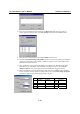
2. Press Enter to select the proper model name (CP-134U Series in this case).