
User`s manual





CP-134U Series User’s Manual Software Installation
3-27
Installing the Driver
First Time Driver Installation
The following procedure shows how to install the CP-168U driver for the first time. First make
sure the board or boards are already plugged into the system’s PCI slot(s).
1. Log into NT as Administrator.
2. Copy the folder Windows.nt located under \Software\WinNT on the software CD, to your
computer’s hard disk (under the C: drive, for example).
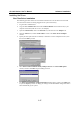
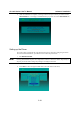
3. Open the Control Panel, click on the Network icon, and then select the Adapters tab.
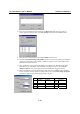
4. Click the Add button, and then the Have Disk... button in the Select Network Adapter
window.
5. Specify the exact path of the driver diskette, C:\Windows.nt in the example shown here, and
then click on OK to proceed.
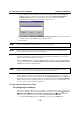
6. Select MOXA Smartio/Industio Family multiport board in the Select OEM Option
window, and then click OK to begin installing the driver.
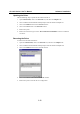
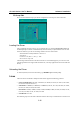
7. The Moxa Smartio/Industio Configuration Panel window appears. Click on the Add button
to open the Property window to change port settings and advanced FIFO configuration that is
done automatically by the system.