
User`s manual



CP-134U Series User’s Manual Software Installation
3-25
Updating the Driver
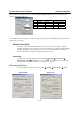
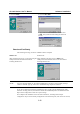
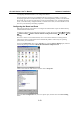
This section describes how to update the Windows 95/98 driver. Open Control Panel, click on the
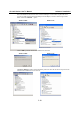
System icon, and select the Device Manager tab. Click on the MOXA CP-168U board and then
click on Properties.
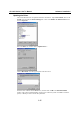
Select the Driver tab, and the click on Update Driver....
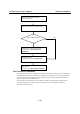
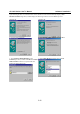
Click on Have Disk... and then type the path of the new driver.
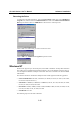
Insert the driver CD into the CD-ROM drive, and then click on OK in the Install from Disk
window. The system will automatically prompt you to restart the system. Click Yes to restart the
system, or No if you want to reboot the system later.